Batch-convert Microsoft Publisher files to PDF before Publisher disappears in October 2026

Microsoft 365 image from Unsplash

Microsoft has announced that support for Microsoft Publisher ends on 1 October 2026, and Microsoft 365 subscribers will lose access to the application at that time.

I’ve accumulated around 850 Microsoft Publisher (.pub) files over the years. While I no longer use Publisher for new work, I didn’t want to lose the ability to view or print those documents once Publisher disappeared.

To solve the problem, I developed a simple PowerShell script that automates Microsoft Publisher’s own PDF export.

I’ve shared it in a GitHub repo for anyone who needs to do the same.

Continue reading Batch-convert Microsoft Publisher files to PDF before Publisher disappears in October 2026
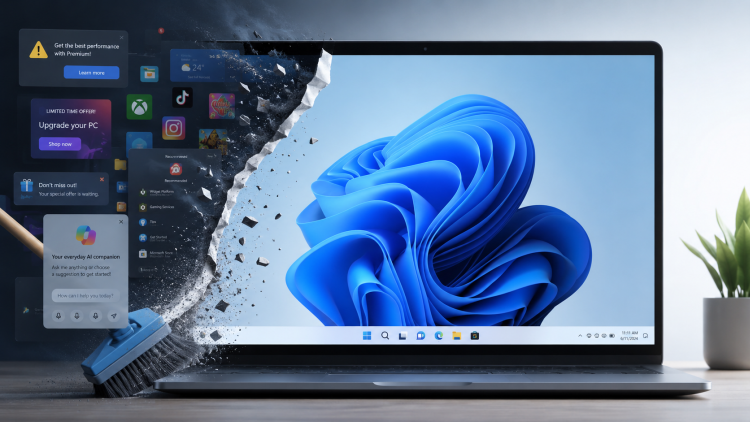
Taming Windows 11: how I stripped the adverts, bloat and Copilot

Time to spring clean your Windows 11 machine

Recently, I’ve been hearing a lot of people complaining how bad Microsoft Windows 11 is.

Maybe it’s because I’ve been lurking in a lot more Linux forums recently. Or because of the social media and YouTube channels I subscribe to. Or maybe it really is a true reflection of what people are generally thinking about Windows 11, both computer geeks and ordinary users alike.

“It’s not that bad!” I thought to myself.

Until last week when I set up a new user account on my Windows 11 laptop and within minutes thought, “What on earth is this?!”

What people complain about Windows 11

It was then that I realised that for both my Windows desktop and laptop PCs, I’ve insulated myself against most of the Windows 11 quirks that many folks have been complaining about:

  1. Bad start menu (even after the latest redesign)
  2. Adverts
  3. Copilot, Microsoft’s built-in AI, promoted everywhere
  4. Lack of a full context menu in Windows Explorer
  5. Uninstall the bloat

I’ve tweaked things enough that most of Windows 11 now feels much like Windows 10. (Even if its deeper dialogs and settings feel like a ghetto, with designs going back to Windows 95 or earlier.)

For anyone who wants to reclaim a bit of sanity, here’s what I do when I set up a new Windows 11 install.

Continue reading Taming Windows 11: how I stripped the adverts, bloat and Copilot

PhotoDemon – a small, featured-packed portable photo editor

PhotoDemon

I’m always on the lookout for a decent, free image editor. Especially one that I can recommend to web clients who are looking for something simple to editor and resize images.

I often recommend IrfanView, a small, free image viewer that packs in a number of useful features. But for cropping images, it’s a little fiddly.

This week I came across PhotoDemon which describes itself as a 100% free, 100% open-source portable photo editor. And while I’m not thrilled on the name, I have to say, I am very impressed with its ease of use and features.

Resizing images is simple. Cropping images is intuitive. Saving images to other formats is a breeze. It even supports layers and has a variety of visual effects.

For many tasks, this gives my usual photo editor, Corel PaintShop Pro, a good run for its money. It also looks more user-friendly than GIMP, the usual go-to for a free photo editor.

So, if you need a simple to use photo editor that you don’t even need to install, I can recommend PhotoDemon.

Trying OnlyOffice after years with Microsoft

Screenshot of OnlyOffice Document

Microsoft has increased the price of its Microsoft 365 Family subscription again, which has nudged me to rethink whether I still need it.

I am keen to explore alternatives that feel lighter, more accessible and less tied to the bigger companies like Microsoft, Adobe and Corel.

So I have started testing OnlyOffice – a free, cross-platform suite that immediately surprised me with its clean design, generous scaling options and effortless compatibility with my existing documents.

This is the start of a tentative experiment to see whether it could replace Microsoft 365 for me.

Continue reading Trying OnlyOffice after years with Microsoft

Goodbye WinZip, hello PeaZip

This week I said a sad but necessary goodbye to a faithful Windows utility that I have been using for the last 35 years or more, WinZip.

WinZip was just getting too bloated, too unfocused and too slow for me. And crucially, at times it no longer did the one simple thing I wanted from it: unzip a zip file.

So this week, I uninstalled WinZip and moved to the free, open source PeaZip. And I wish I had done it sooner.

Continue reading Goodbye WinZip, hello PeaZip