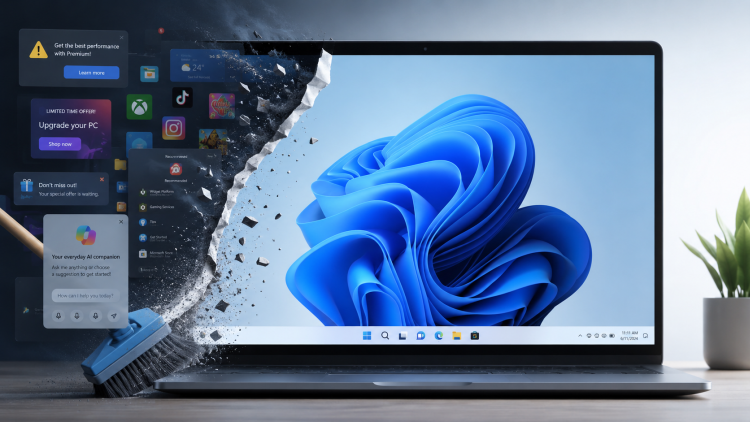
Taming Windows 11: how I stripped the adverts, bloat and Copilot

Time to spring clean your Windows 11 machine

Recently, I’ve been hearing a lot of people complaining how bad Microsoft Windows 11 is.

Maybe it’s because I’ve been lurking in a lot more Linux forums recently. Or because of the social media and YouTube channels I subscribe to. Or maybe it really is a true reflection of what people are generally thinking about Windows 11, both computer geeks and ordinary users alike.

“It’s not that bad!” I thought to myself.

Until last week when I set up a new user account on my Windows 11 laptop and within minutes thought, “What on earth is this?!”

What people complain about Windows 11

It was then that I realised that for both my Windows desktop and laptop PCs, I’ve insulated myself against most of the Windows 11 quirks that many folks have been complaining about:

  1. Bad start menu (even after the latest redesign)
  2. Adverts
  3. Copilot, Microsoft’s built-in AI, promoted everywhere
  4. Lack of a full context menu in Windows Explorer
  5. Uninstall the bloat

I’ve tweaked things enough that most of Windows 11 now feels much like Windows 10. (Even if its deeper dialogs and settings feel like a ghetto, with designs going back to Windows 95 or earlier.)

For anyone who wants to reclaim a bit of sanity, here’s what I do when I set up a new Windows 11 install.

Continue reading Taming Windows 11: how I stripped the adverts, bloat and Copilot

Trying OnlyOffice after years with Microsoft

Screenshot of OnlyOffice Document

Microsoft has increased the price of its Microsoft 365 Family subscription again, which has nudged me to rethink whether I still need it.

I am keen to explore alternatives that feel lighter, more accessible and less tied to the bigger companies like Microsoft, Adobe and Corel.

So I have started testing OnlyOffice – a free, cross-platform suite that immediately surprised me with its clean design, generous scaling options and effortless compatibility with my existing documents.

This is the start of a tentative experiment to see whether it could replace Microsoft 365 for me.

Continue reading Trying OnlyOffice after years with Microsoft

Hurrah! Vertical tabs are coming to Microsoft OneNote

Microsoft has just announced a forthcoming change to OneNote that has made me very happy.

For the past 10 years or so, Microsoft OneNote has been an integral part of my personal organisation and productivity system.

I store almost all my life admin in OneNote. This can be everything from documentation to meal planning. It is really useful if you’re involved in a road traffic collision, for example, and quickly need access to your car insurance documents. Or you are in the supermarket and can’t remember what you’ve planned for dinner at the weekend.

Screenshot of my OneNote showing meal planning for December. Three vertical columns from left to right - categories, pages and then a table of information about food.
Screenshot of my OneNote showing meal planning for December.
Continue reading Hurrah! Vertical tabs are coming to Microsoft OneNote

Repair a Microsoft Money 2005 file

Microsoft Money File Repair

I received an email today from someone who was having trouble upgrading from Microsoft Money 2004 to the last version, Microsoft Money 2005 (QFE2) UK. While opening his Money 2004 .MNY file in Money 2005, the program kept hanging.

Many Microsoft Money users are unaware there is a file repair tool bundled with the application.

Continue reading Repair a Microsoft Money 2005 file